
Download DealDash – Free Bidding‑Fee Auction App for Smart Shoppers
Overview
DealDash is a free bidding‑fee auction application that brings the excitement of live auctions to your mobile device. Developed by the team behind DealDash.com, the app integrates seamlessly with the website’s full suite of features, allowing you to browse, bookmark, and bid on a constantly refreshed selection of brand‑new products. While the platform does not guarantee a win on every auction, it offers a unique blend of competitive bidding and discounted retail pricing that can translate into real savings when you do succeed.
Users purchase bids in advance, then deploy them strategically across auctions, with tools like the built‑in BidBuddy helping to automate timing and increase the odds of success. If you fall short of winning an item, DealDash offers a “Buy Now & Get Your Bids Back” option, letting you purchase the product at a set price while reclaiming the bids you spent. This safety net, combined with free shipping on winning items, makes the experience feel less risky than traditional pay‑to‑win auction sites.
The app’s clean, intuitive interface makes it easy for both newcomers and seasoned bidders to navigate the marketplace, view live timers, and place single or automated bids with just a few taps. In short, DealDash is positioned as a hybrid between a standard e‑commerce storefront and a live auction house, delivering a free‑to‑download, secure, and regularly updated platform for deal‑hunters on Windows, macOS, Android, and iOS.
Key Features
- BidBuddy Automation: An intelligent assistant that places timed bids on your behalf, helping you stay competitive without constant manual input.
- Buy Now & Get Your Bids Back: Guarantees a fallback price and returns spent bids if you choose to purchase the item outright.
- Deal of the Day Highlights: Curated daily specials that showcase high‑value items at attractive bid prices.
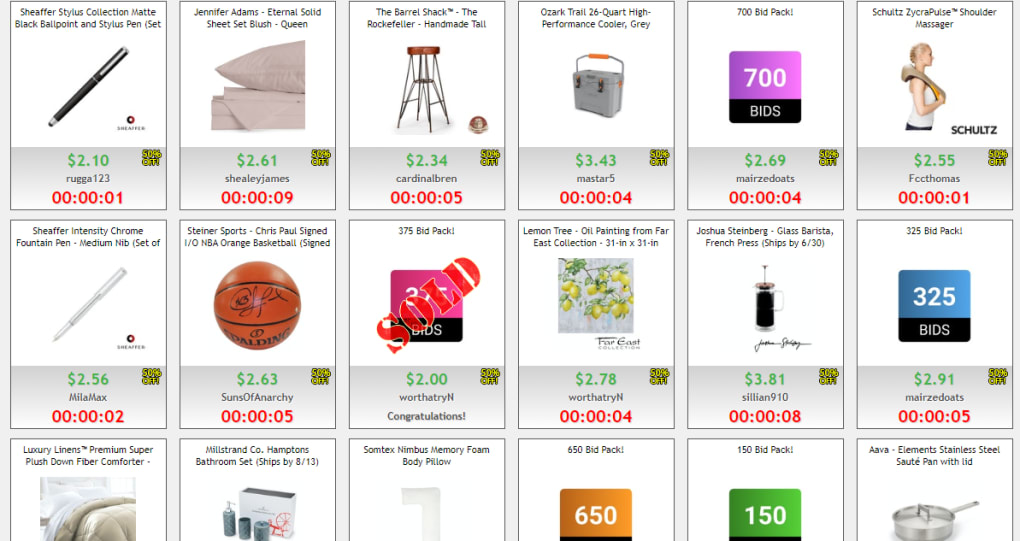
- Real‑Time Auction Dashboard: Live timers, current price, and number of active bidders displayed for each auction.
- Bid Packages & Discounts: Purchase bids in bulk at discounted rates, with promotional offers for frequent users.
- Secure Account Integration: Syncs with your DealDash.com account, preserving your bid history, wishlist, and payment details.
- Multi‑Platform Compatibility: Available on Android, iOS, Windows, and macOS, with cloud‑based sync across devices.
- Brand‑New Product Guarantee: All items are sourced directly from leading retailers, ensuring authenticity and new‑condition status.
- Free Shipping on Winners: Winning bidders receive their purchases with complimentary delivery.
- In‑App Notifications: Alerts for upcoming auction endings, bid wins, and exclusive promotional events.
Installation & Daily Use Guide
Getting started with DealDash is straightforward. First, locate the app in your device’s app store—Google Play for Android users, the App Store for iOS, and the Microsoft Store or Mac App Store for desktop installations. Tap “Install” and wait for the download to complete; the app is free, with no hidden charges for the initial download.
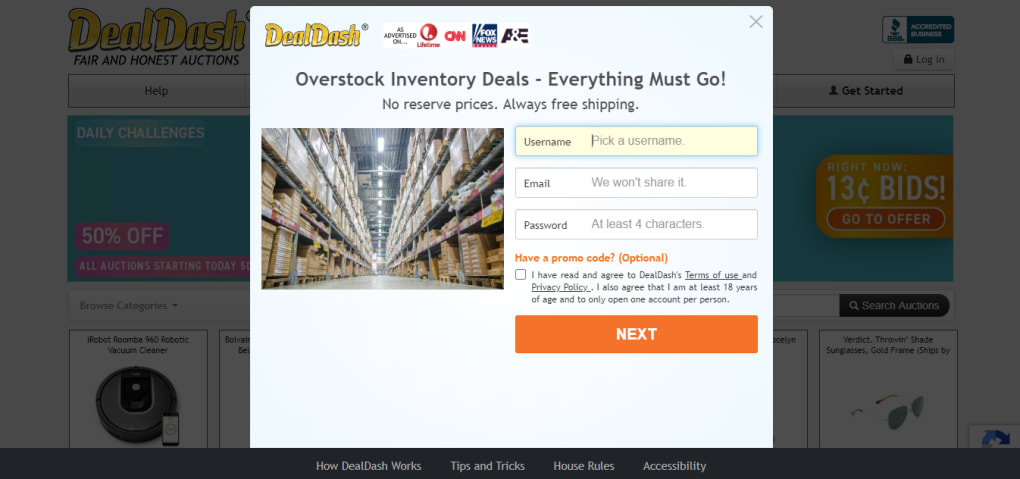
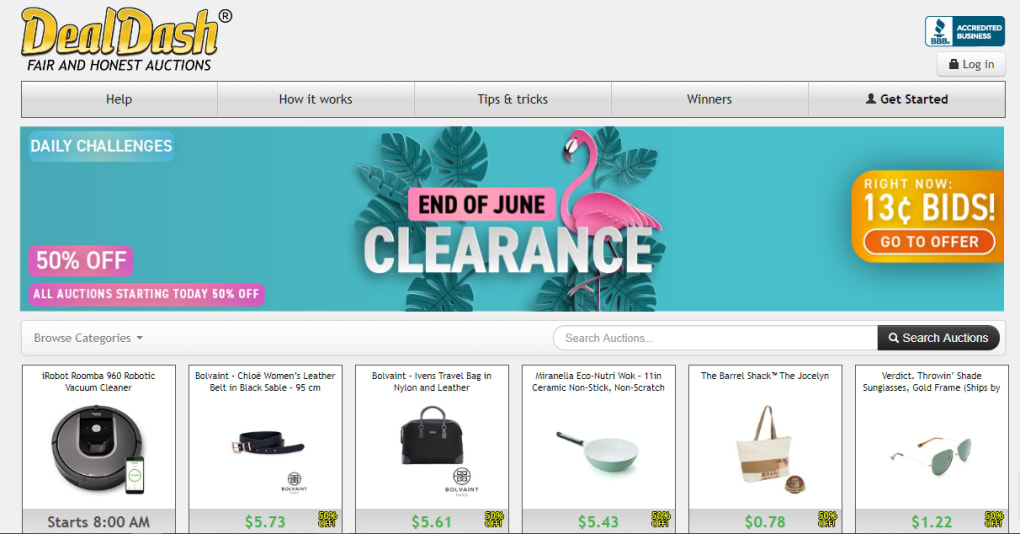
Once installed, open the app and choose to either sign in with your existing DealDash.com credentials or create a new account by providing a valid email address, password, and optional phone verification. After logging in, you’ll land on the home screen where the “Deal of the Day” is prominently displayed. This section showcases a limited‑time auction with a highlighted discount and the current bid price.
To begin bidding, scroll through the auction feed, tap any item to view details, and examine the timer, current highest bid, and number of participants. If you decide to compete, you can either purchase a bid package from the “Buy Bids” section—options range from 30 to 500 bids at tiered discounts—or use any existing balance. With bids in hand, you have two primary actions: “Single Bid” for a one‑off attempt, or “BidBuddy” for automated, timed bids that mimic human bidding patterns.
When you place a bid, the app instantly updates the auction’s timer and displays your new standing. If you win, a confirmation screen appears, and the discounted price is locked in; the item will be shipped free of charge. Should you lose, the “Buy Now & Get Your Bids Back” option becomes visible, allowing you to purchase the product at a set price while retrieving the bids you spent. Throughout the day, the app sends push notifications to remind you of ending auctions, new bid packages, and exclusive flash deals, ensuring you never miss a chance to snag a bargain.
For ongoing maintenance, the app automatically updates itself via the respective app store, delivering security patches and feature enhancements without user intervention. If you encounter any issues, the built‑in Help Center provides FAQs, live chat support, and a ticketing system to resolve account or bidding problems quickly.
Compatibility, Pros & Cons, FAQ & Conclusion
Compatibility
DealDash is built on a cross‑platform framework, ensuring smooth performance on the following operating systems:
- Android 6.0 (Marshmallow) and newer
- iOS 12.0 and newer (iPhone, iPad, iPod Touch)
- Windows 10 (64‑bit) via Microsoft Store
- macOS 10.14 (Mojave) and newer via Mac App Store
Pros & Cons
- Pros:
- Free to download with a transparent bid‑purchase model.
- BidBuddy automation reduces the need for constant manual bidding.
- Buy Now & Get Your Bids Back mitigates risk of lost bids.
- Wide selection of brand‑new products from reputable retailers.
- Free shipping on winning items adds extra value.
- Multi‑device sync keeps your account consistent across platforms.
- Cons:
- Success is not guaranteed; competitive auctions can be costly.
- Requires upfront purchase of bids, which may feel like a sunk cost.
- BidBuddy timing can be outpaced by faster human bidders in high‑traffic auctions.
- Some users report occasional latency during peak auction times.
- Refunds are only available through the “Buy Now” option, not for unused bids.
Frequently Asked Questions
How do I purchase bids?
Open the “Buy Bids” tab, choose a package (e.g., 30, 100, 250, or 500 bids), and complete the transaction using a credit/debit card or PayPal. Packages often include bonus bids as a promotional incentive.
What is the “Buy Now & Get Your Bids Back” feature?
If you lose an auction, you can still purchase the item at a fixed “Buy Now” price displayed on the auction page. When you use this option, all bids you spent on that auction are credited back to your account.
Can I use DealDash on both mobile and desktop?
Yes. The app is available for Android, iOS, Windows, and macOS, and all your bids, watchlists, and auction history sync automatically across devices.
Is there a free trial for bids?
DealDash occasionally offers promotional free‑bid credits to new users, but there is no ongoing free‑bid trial. Keep an eye on the “Promotions” section for limited‑time offers.
How secure is my personal and payment information?
DealDash employs SSL encryption for all data transmissions and complies with PCI‑DSS standards for payment processing, ensuring that your personal and financial details remain protected.
Conclusion & Call to Action
DealDash offers a compelling blend of auction excitement and tangible savings for shoppers willing to invest in a bid‑based model. Its free download, cross‑platform availability, and safety nets like BidBuddy and “Buy Now & Get Your Bids Back” make it a standout choice among bidding‑fee auction apps. While success isn’t guaranteed and the competitive nature can feel intense, the potential to walk away with a brand‑new product at a steep discount—plus free shipping—often outweighs the risk for seasoned deal hunters. If you’re looking for a fresh way to shop, want to explore the thrill of live auctions, and appreciate a transparent refund mechanism, DealDash is worth a try.
Ready to start bidding? Download DealDash now, purchase your first bid package, and experience the adrenaline of winning real‑world products at unbeatable prices.



.png)



